💰 NOWOŚĆ: Ile jest warta Twoja Tesla? Podaj model, rok, km i stan baterii → cena z realnych ofert. ⚡ Sprawdź TUTAJ 👆

Aktualizacja oprogramowania Tesla

Tesla 2024.44.25.4

Co nowego w aktualizacji 2024.44.25.4: Apple Watch, Mobile App Dashcam Viewer, Set Arrival Energy, Search Along Route.

Wersja
2024.44.25.4
Pierwszy raz
Zarejestrowana w
Model Y

Co nowego w 2024.44.25.4

Tesla wysyła informacje w języku ustawionym w samochodzie. Tę wersję mamy na razie tylko w innym języku.

Apple Watch

Apple Watch

Tesla for Apple Watch allows you to pair your watch as a key and unlock and lock your vehicle without ever pressing a button - just like phone key. You can also see the state of your vehicle's battery with a watch face complication and perform actions such as opening the frunk or trunk.

Requires mobile app version 4.39.5+ and watchOS 11.0.

Mobile App Dashcam Viewer

Mobile App Dashcam Viewer

Watch and save Dashcam and Sentry Mode clips directly from your phone. First, ensure the View Camera via Mobile App setting on the touchscreen is enabled (Controls > Safety). Then, on your mobile app, go to Security > Dashcam Viewer. Clips are end-to-end encrypted and can't be accessed by Tesla.

This feature requires iOS mobile app version 4.39.5 or higher, and Premium Connectivity.

Set Arrival Energy

Set Arrival Energy

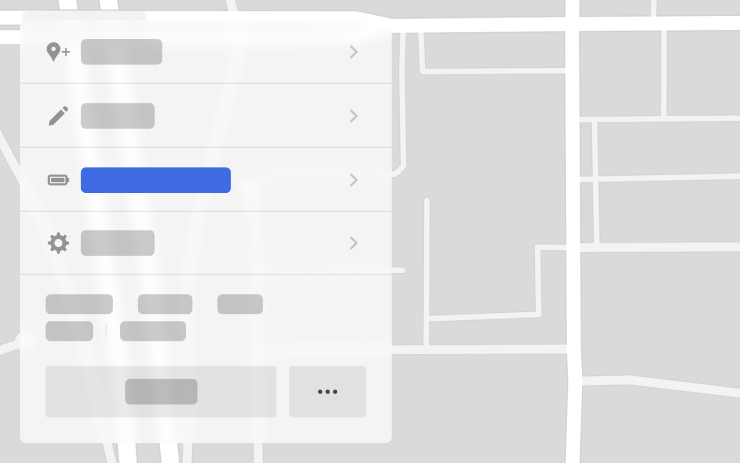
You can now set a preferred battery charge level for when you arrive at your destination—higher if you’d like more charge, or lower if you prefer a faster arrival. Trip Planner will adjust your route accordingly, adding or modifying recommended charging stops and durations.

In your vehicle’s turn-by-turn list, choose Set Arrival Energy for your final destination.

Search Along Route

Search Along Route

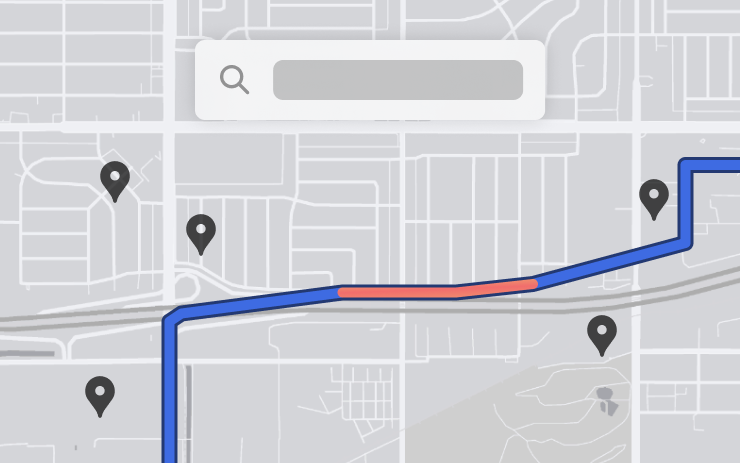
While navigating, when you search for a location (like coffee shops, fast food, or other stops), the results are now filtered to show options along your route. Each result also includes an estimated detour time.

Precipitation Map and Weather at Destination

Precipitation Map and Weather at Destination

You can now view precipitation in your area directly on your vehicle’s map. Additionally, while navigating, you can see the destination’s weather in the weather popup. You will also be updated on any significant weather differences between your current location and final destination.

Requires Premium Connectivity.

Rear Cross Traffic Alert

Rear Cross Traffic Alert

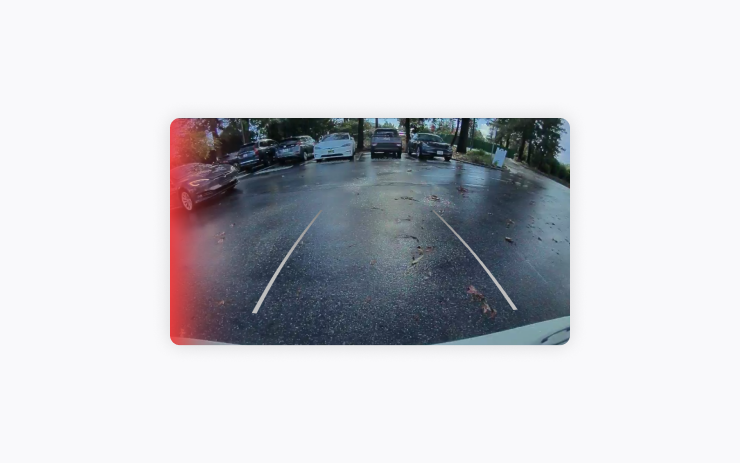
When you shift into Reverse, your vehicle will alert you if it detects a pedestrian or vehicle crossing behind you by highlighting the corresponding side of the rear-view camera feed in red.

TuneIn

TuneIn

Explore the all-new TuneIn Radio on Tesla — still completely free with no setup needed. Start enjoying over 100,000 music, sports, news & talk radio stations, along with 3 million podcasts, audiobooks, and more. TuneIn now features a redesigned personalized interface per driver profile, improved support for sports and podcasts, and richer station profiles.

Requires Premium Connectivity or a Wi-Fi connection.

Light Show Update

Light Show Update

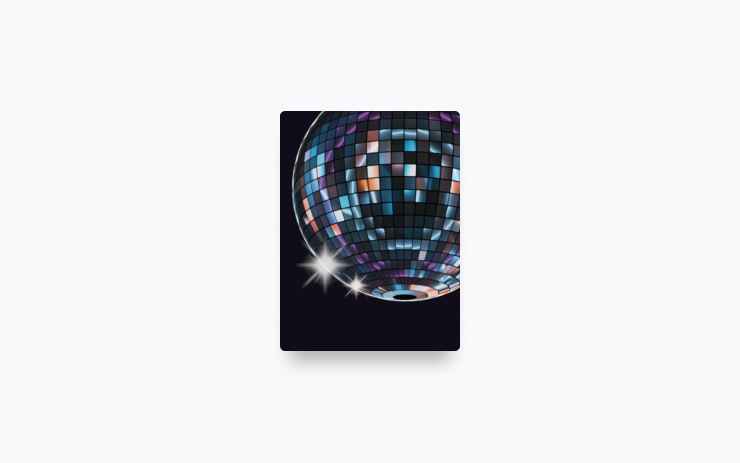
Time to celebrate with the latest Light Shows to the tune of Cyber Symphony by Lionel Yu and Ready for Assault by Evgeny Bardyuzha. You can play the show instantly or schedule it up to 10 minutes in advance, either on a single vehicle or synced with friends.

Light Show enthusiasts can control interior lighting, add display color effects, and create longer custom shows. To play a custom show, save the show files in a "LightShow" folder on your flash drive, connect, and select.

Start the show from your mobile app (version 4.39.5+ required) or go App Launcher > Toybox > Light Show on your vehicle's touchscreen.

Boomerang Fu

Boomerang Fu

Slice and dice your friends with boomerangs in this frantic physics party game. Join a crew of your favorite foods as you grill, chill and spill your enemies. Discover ridiculous power-ups and stack them together in deadly combinations. To play, shift into Park (P), and go to App Launcher > Arcade > Boomerang Fu.

Theater and Video Updates

Theater and Video Updates

- Use the media card to play and pause any active video content playing through the browser or Theater.
- Start a video in the web browser before your drive to enjoy your favorite content as audio on the road.

Seats Control

Seats Control

The new Seats control panel allows you to adjust the position of the unoccupied passenger seat. Go to Controls > Seats.

Maintenance Summary

Maintenance Summary

This feature provides a record of when common maintenance actions were last performed and recommends when to perform them next. Maintenance records persist on the vehicle through factory resets, providing a record of previously performed maintenance actions for current and future owners. Go to Controls > Service > Maintenance.

Minor Updates

Minor Updates

- Tap “Nearby Parking” on any point-of-interest page to get directions to nearby parking and start your journey with ease.
- Vehicles without premium connectivity can now see traffic on their navigation route.
- If someone attempts to open the door or trunk while Sentry Mode is active, you’ll receive a notification on your mobile app.
- When reviewing Dashcam clips in your vehicle, the video player will skip directly to the recorded event.
- The Energy app's Consumption page has been updated to let you view your energy usage over the last 200 miles.
- When navigating to a Supercharger, upon arrival you will be notified on the touchscreen of any stalls that are currently out of service.
- With Autosteer active, a new telltale will indicate which lanes are available for Automatic Lane Change.
- While reversing, your music volume can automatically lower to help you focus on parking. Go to Controls > Safety > Lower Volume in Reverse.
- Vampire Survivors has been updated, adding new quality of life features and performance improvements.
- Minor fixes and performance enhancements have been applied.

Tekst pochodzi bezpośrednio z samochodu przez oficjalne Tesla Fleet API i jest pokazany bez zmian. Obrazy i teksty są własnością Tesla, Inc.

Jak zainstalować 2024.44.25.4

Otwórz na ekranie Sterowanie → Oprogramowanie. Jeśli wersja 2024.44.25.4 jest dostępna dla Twojego auta, zobaczysz ją tam. Auto musi być zaparkowane, instalacja trwa zwykle 20–40 minut. Jeśli jej jeszcze nie widzisz, Tesla prawdopodobnie dopiero ją rozsyła.

Szukasz Tesli z najnowszym oprogramowaniem?

Na TesList przy ogłoszeniach widzisz prawdziwe dane z auta — stan baterii, wyposażenie i wersję oprogramowania.