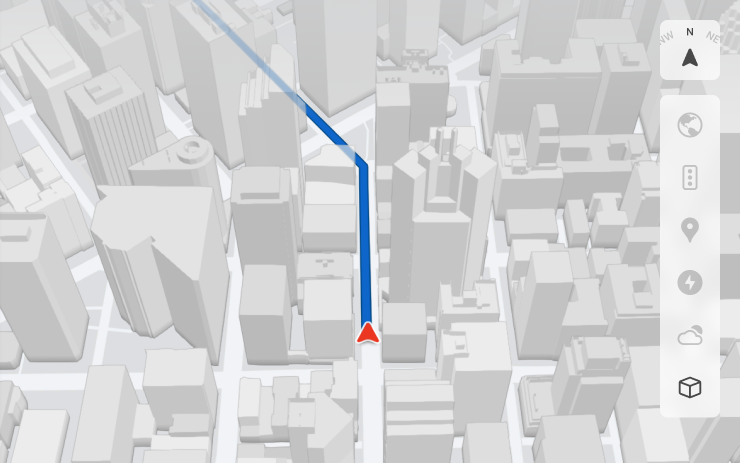
3D Buildings
You can now see buildings and cityscapes in more detail with 3D view. To enable, switch to Map View and tap the 3D icon.
Requires Premium Connectivity.
Co nowego w aktualizacji 2025.38: 3D Buildings, Dashcam Viewer Updates, New Scroll Wheel Functions, Minor Updates.
Tesla wysyła informacje w języku ustawionym w samochodzie. Tę wersję mamy na razie tylko w innym języku.
You can now see buildings and cityscapes in more detail with 3D view. To enable, switch to Map View and tap the 3D icon.
Requires Premium Connectivity.

Street names are now included in dashcam event details (when available), making it easier to distinguish between recorded events. In addition, the Mobile Dashcam Viewer now streams and downloads at a higher resolution. Requires Tesla App version 4.49.5+.
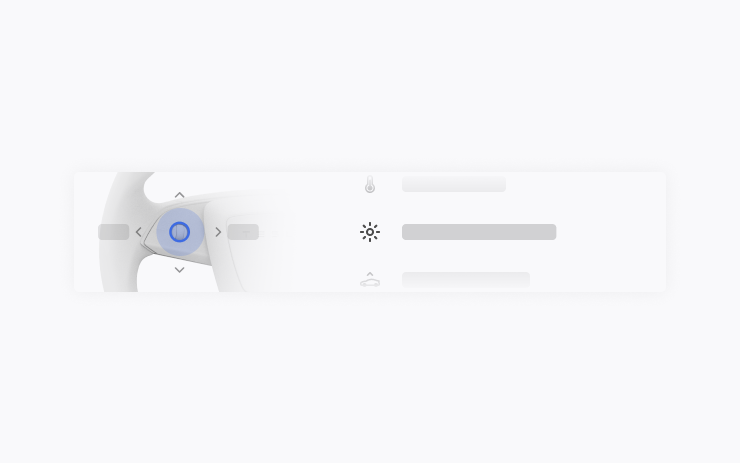
Your left scroll wheel includes new options for quickly accessing various vehicle controls, such as Bioweapon Defense Mode, Mute Navigation, and Music Light Sync - if available in your vehicle.
Press and hold the left scroll wheel to open the menu.
- Apple Music provides an organized playlist view with folders, expanded artist pages and a Recently Played shelf that displays more of your listening history.
- You can log in to your media using a Tesla app notification for a faster, more seamless experience.
- You can now choose whether a phone key is required before a driver profile can be selected. Go to Driver Profile Settings > Require Phone Key for Profile.
- This update includes important security fixes and improvements.
Tekst pochodzi bezpośrednio z samochodu przez oficjalne Tesla Fleet API i jest pokazany bez zmian. Obrazy i teksty są własnością Tesla, Inc.
Otwórz na ekranie Sterowanie → Oprogramowanie. Jeśli wersja 2025.38 jest dostępna dla Twojego auta, zobaczysz ją tam. Auto musi być zaparkowane, instalacja trwa zwykle 20–40 minut. Jeśli jej jeszcze nie widzisz, Tesla prawdopodobnie dopiero ją rozsyła.
Na TesList przy ogłoszeniach widzisz prawdziwe dane z auta — stan baterii, wyposażenie i wersję oprogramowania.